AyahLab v1.3.0 is Now Out!
AyahLab v1.3.0 brings multi-language UI, split editor mode, new reciters with dual-slot playback, word highlights, slash commands, richer morphology views, and much more.
Alhamdulillah! AyahLab v1.3.0 is here — and it is by far the most feature-packed release to date. Watch the release walkthrough on YouTube. This update brings the app to a much wider global audience through full multi-language support, improves the recitation experience with new reciters and dual-slot playback, adds word-level highlights to the Parchment, introduces slash commands to the rich-text editor, and ships a host of refinements across nearly every corner of the app. Let us walk through what is new.
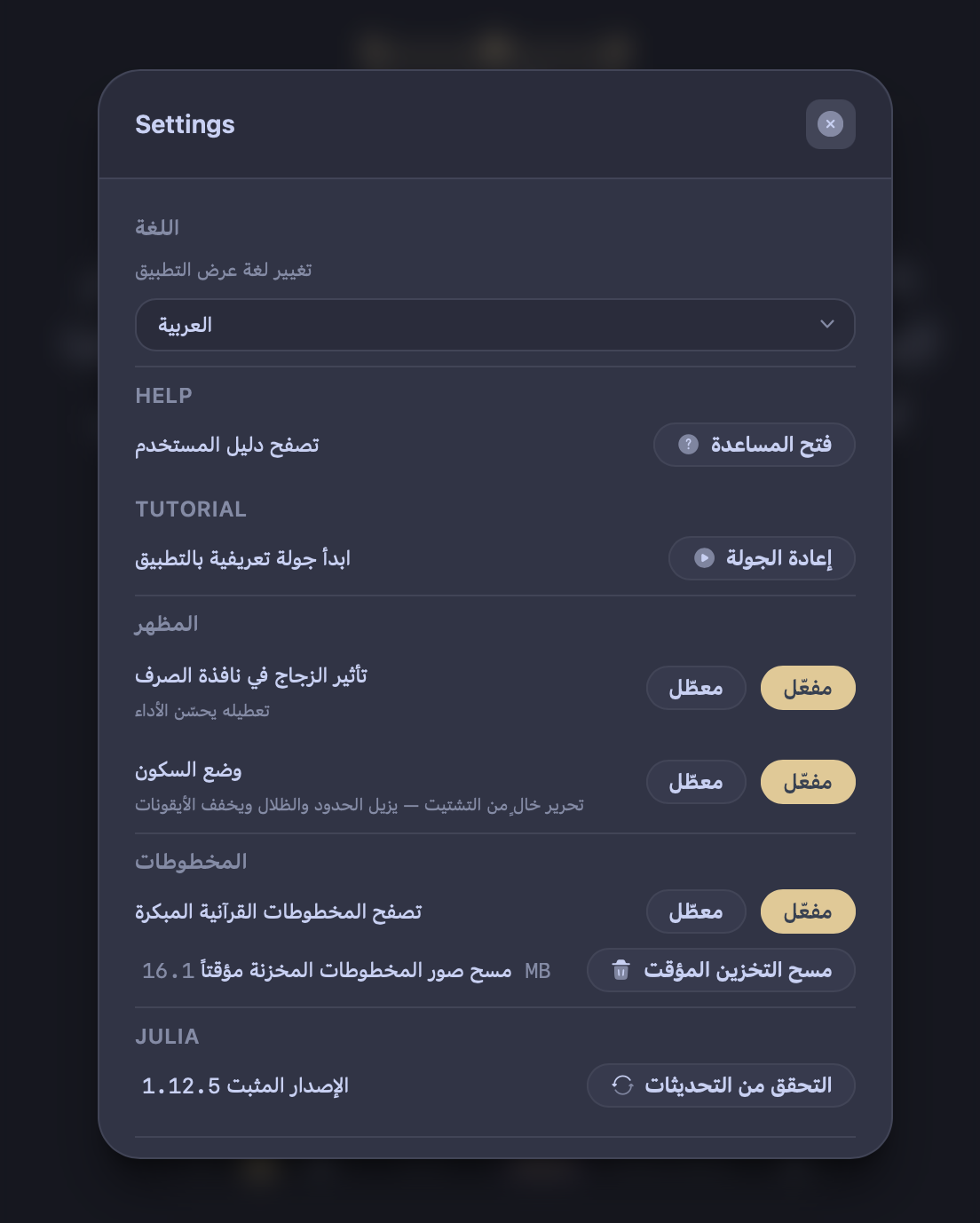
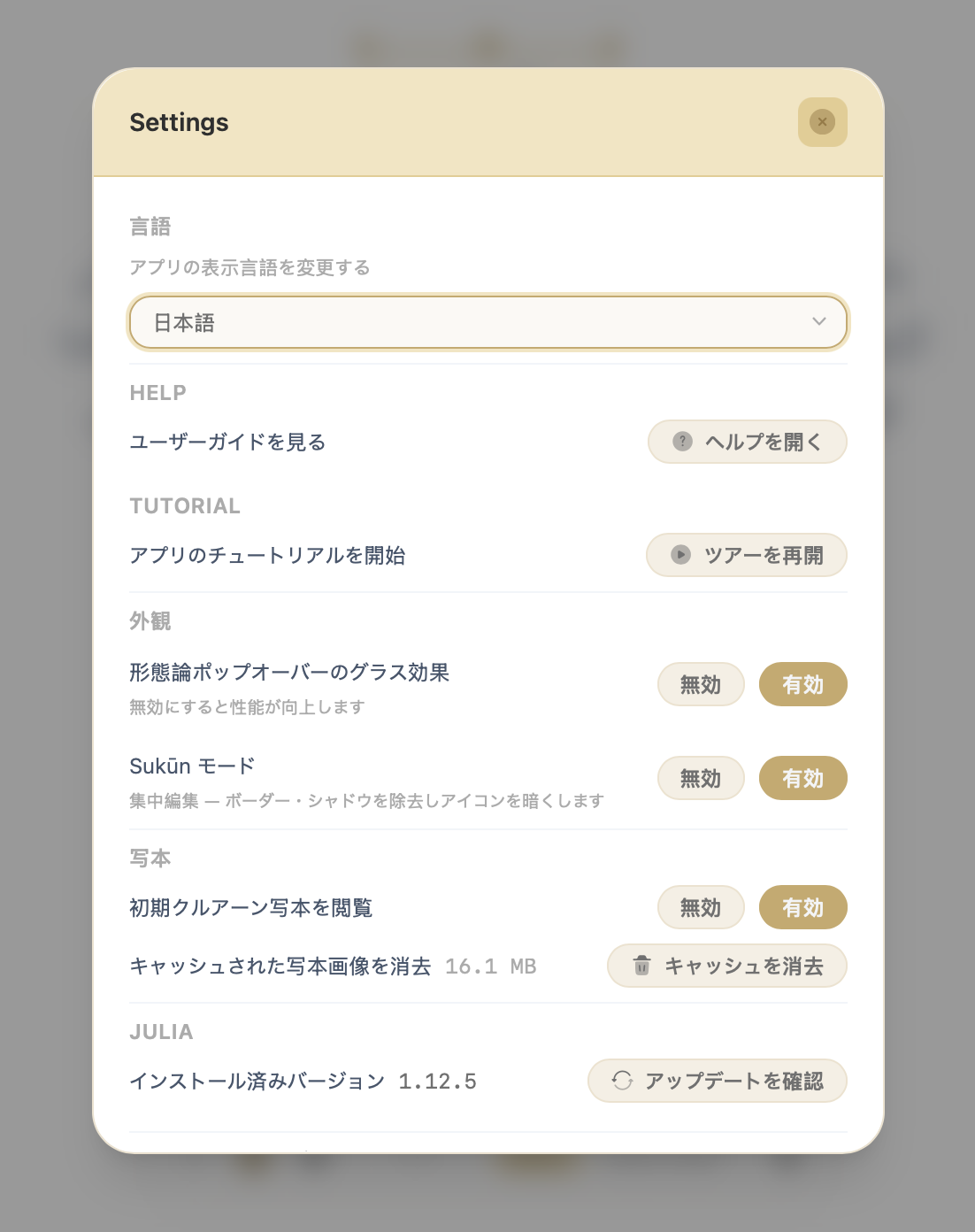
Multi-Language UI — 18 Languages Supported
AyahLab now ships with a fully internationalised interface. Every label, dialog, tooltip, and notification in the app can be displayed in your language of choice. Version 1.3.0 launches with support for 18 languages:
| Language | Language |
|---|---|
| English | العربية (Arabic) |
| বাংলা (Bengali) | فارسی (Farsi) |
| हिन्दी (Hindi) | Bahasa Indonesia |
| Bahasa Melayu | Português |
| Filipino (Tagalog) | Türkçe |
| اردو (Urdu) | 中文 (Chinese) |
| 日本語 (Japanese) | 한국어 (Korean) |
| Deutsch (German) | Français (French) |
| Español (Spanish) | Русский (Russian) |
The language preference is saved locally and applied immediately across the entire app — no restart required. You can change it any time from Settings → Language.
New Reciters & Dual-Slot Reciter Selection
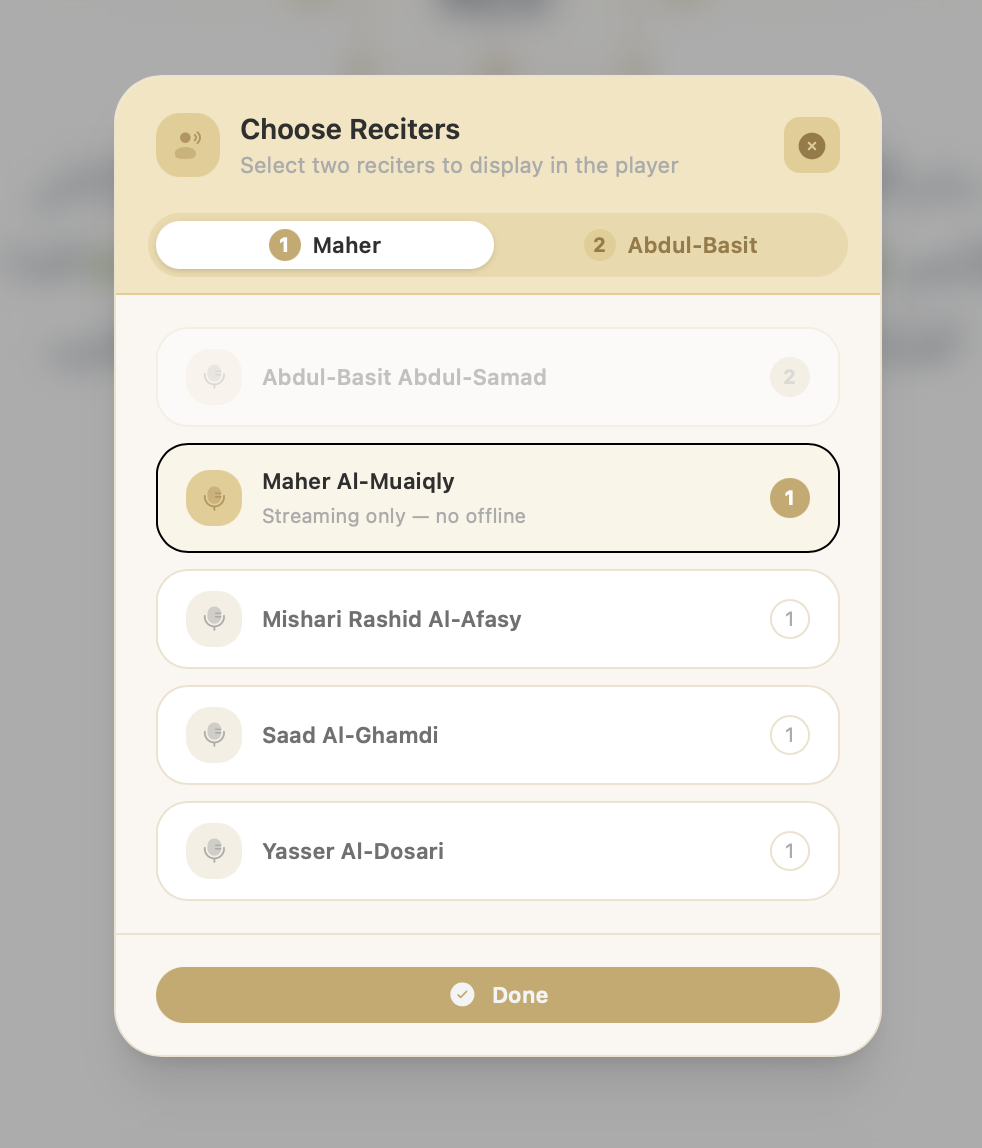
The recitation player has been significantly upgraded. Three new reciters are now available:
- Abdul-Basit Abdul-Samad — Murattal (Hafs)
- Yasser Al-Dosari — Murattal (Hafs)
- Maher Al-Muaiqly — Murattal
On top of the expanded roster, the player now supports dual-slot playback — you can assign two reciters to Slot 1 and Slot 2 and switch between them instantly without reopening any dialog. The new Reciter Select Dialog (accessible via the player controls) lets you choose which reciter occupies each slot.
Some reciters support a seek-style streaming mode, allowing the audio to be scrubbed freely rather than playing strictly ayah-by-ayah. A badge in the selection dialog indicates which reciters support this mode.
Word Highlights in the Parchment
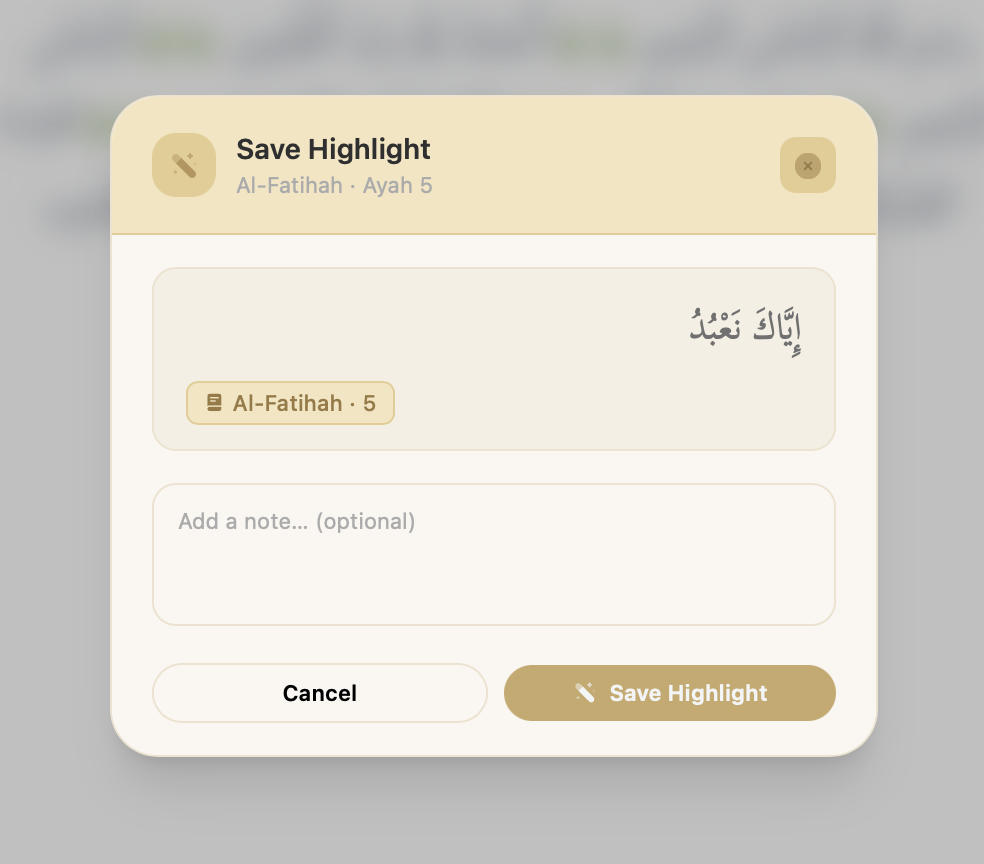
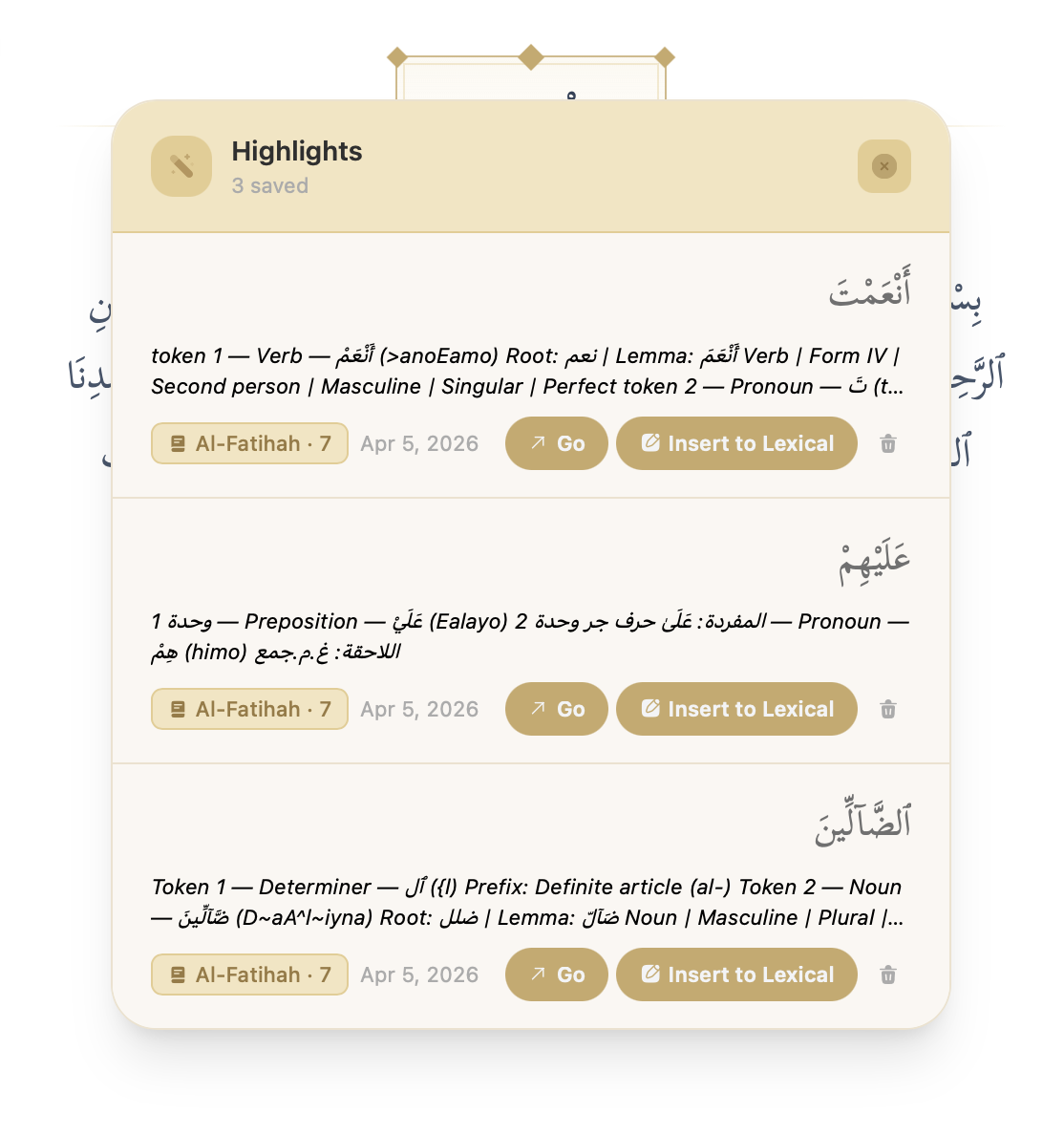
You can now highlight individual Arabic words directly in the Parchment view and save them together with an optional personal note. Saved highlights are listed in a dedicated Highlights panel on the Parchment action bar, where you can review, navigate to, or delete any highlight.
This makes it easy to build a personal vocabulary list, mark words for deeper study, or annotate a passage for reference during research.
Slash Commands in the Rich-Text Editor
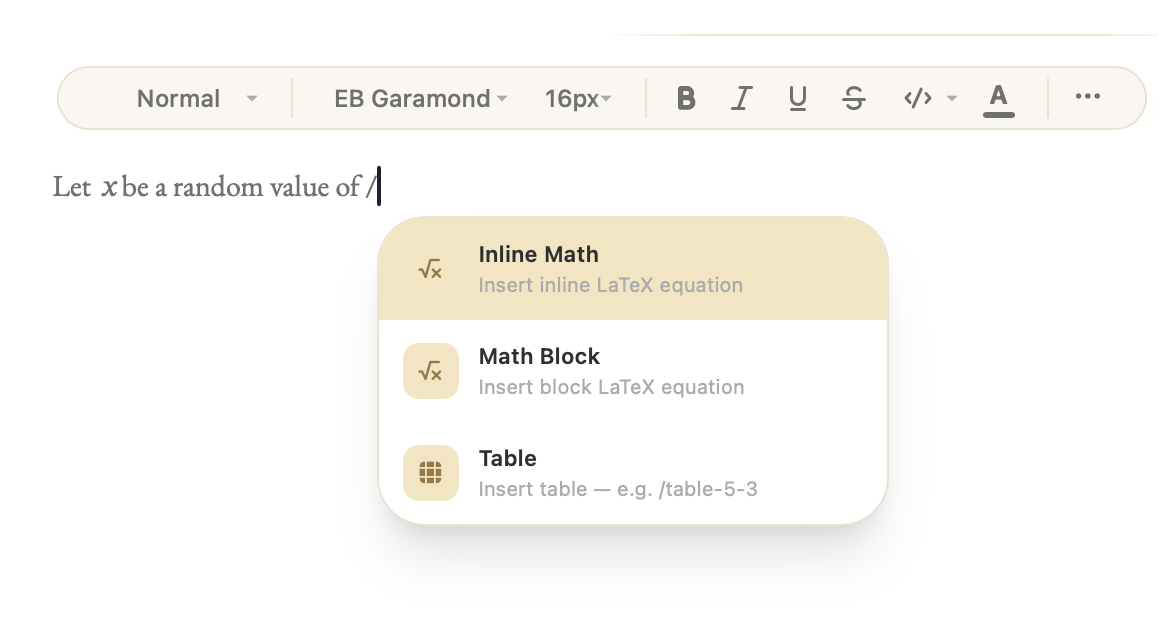
The Lexical rich-text editor now supports slash commands — type / anywhere in a document to open a floating command palette. From there you can quickly insert:
- Inline and block LaTeX equations
- Tables (with shorthand syntax like
/table-5-3to insert a 5×3 table directly) - Horizontal rules, images, and more
The palette filters in real time as you type, so finding a command is instant. This removes the need to reach for the toolbar for common insert operations.
Richer Morphology View
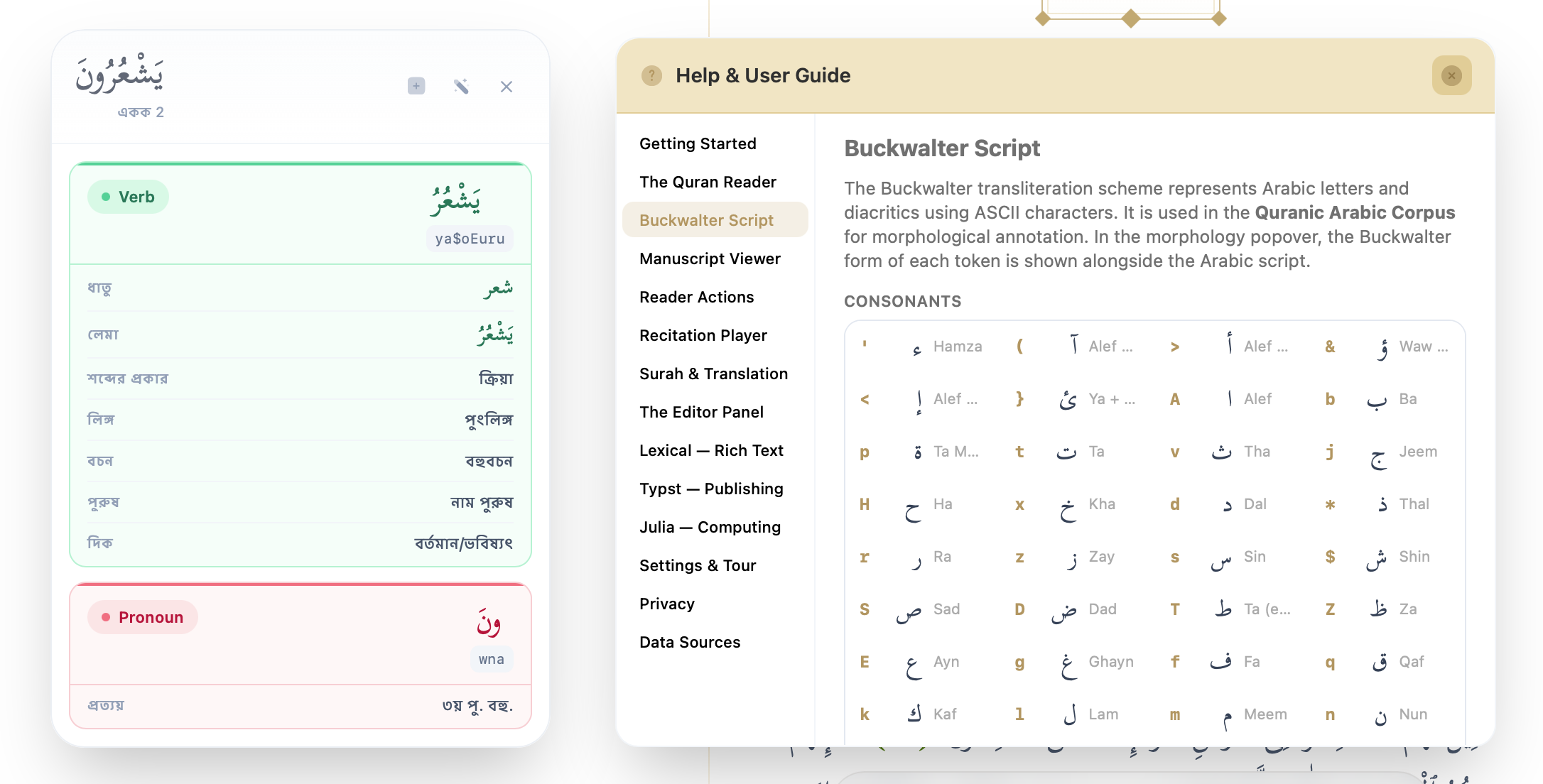
The morphology popover and side panel have received a substantial upgrade. Every grammatical attribute — part-of-speech, person, number, gender, case, mood, voice, aspect, verb form, prefixes, suffixes, and state — is now displayed with its full human-readable label (localised into all 18 supported languages), replacing the raw coded abbreviations.
A new “Insert morphology note” action is available directly from the word morphology popover, letting you push a formatted morphological summary of any word straight into the active editor document with a single click.
New Quranic Translations
Five new translations have been added to the app:
| Language | Translator |
|---|---|
| Spanish | Noor International Center |
| Japanese | Saeed Sato |
| Korean | Hamed Choi |
| Portuguese | Quran PT (Samir) |
| Chinese | Muhammad Makin |
These join the existing collection and are available immediately from the translation selector in the Parchment.
Sukūn Mode — “Show Icons” Toggle
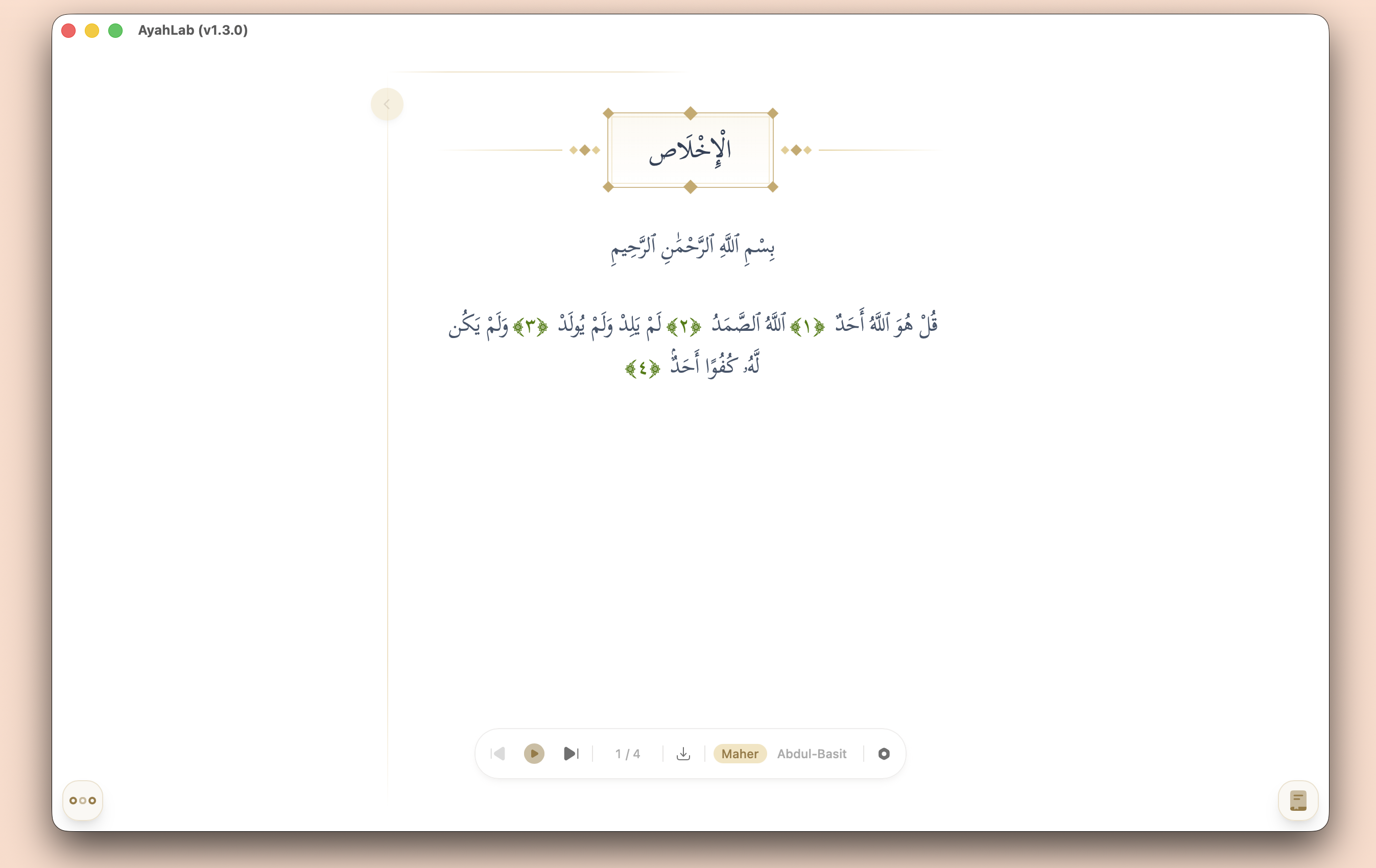
Sukūn Mode (the distraction-free reading environment) now includes a Show Icons toggle. When turned on, interface icons remain visible even in Sukūn Mode — useful for users who prefer a minimal aesthetic without losing quick access to controls. You can also briefly reveal the full interface at any time using the Peek gesture.
New Blog Toast Notification
When a new post is published on the AyahLab Blog, a small toast notification now appears in the app to let you know. The toast shows the post title and author, with a direct link to read it. It respects the app’s language setting and will not reappear once dismissed.
Offline Recitation Downloads
The offline recitation download dialog has been further improved. You can now download recitation audio at three granularities:
- Current Ayah — download just the single ayah you are reading
- Current Surah — download all ayahs of the open surah
- All Surahs — batch-download the entire Quran for a selected reciter
A live progress indicator shows the surah and ayah count as the download proceeds, and a cancel button lets you stop a batch download at any time.
Split Editor Mode
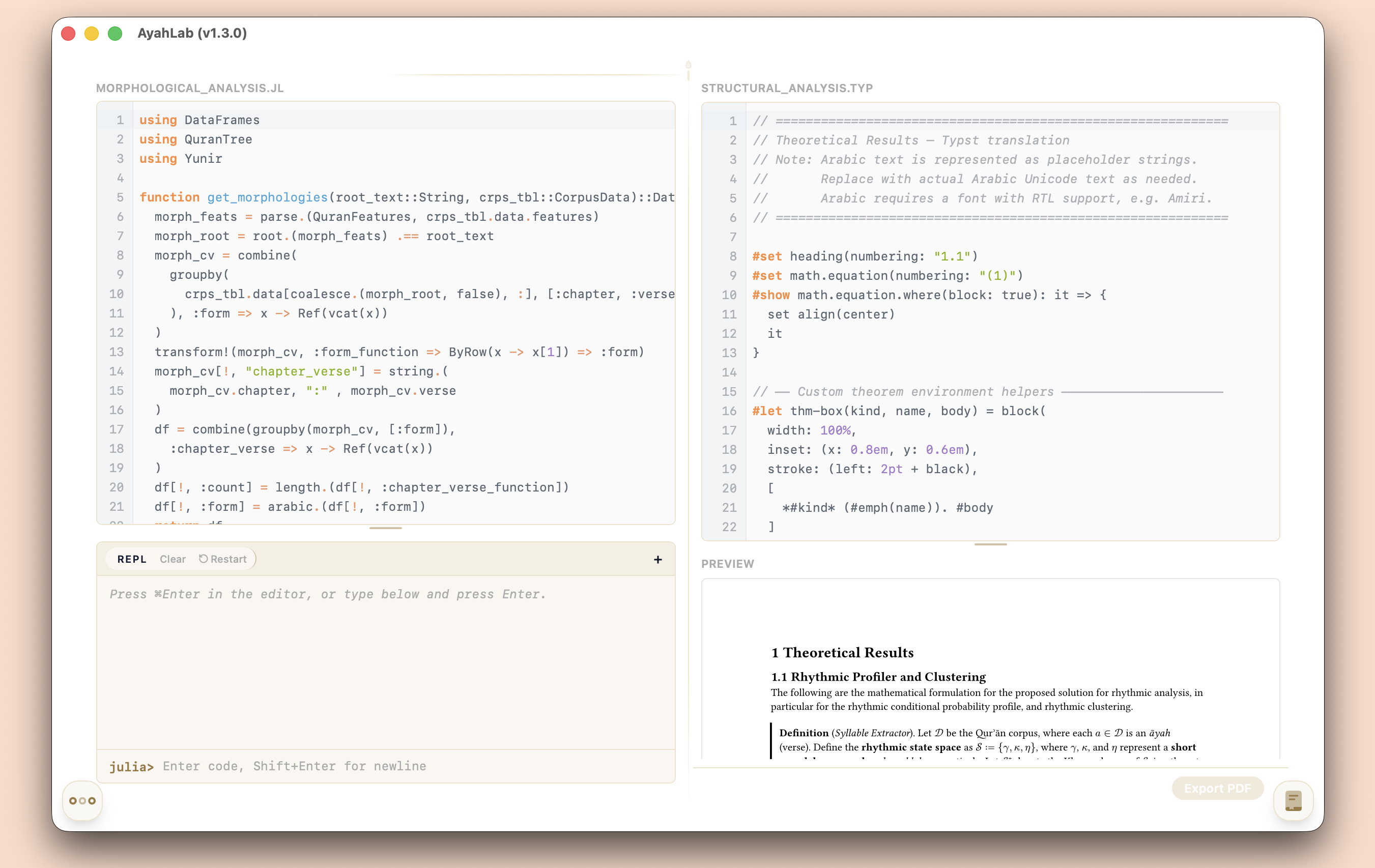
You can now pair any two editor types side by side in a split view. Three combinations are supported:
| Left panel | Right panel (sidebar) |
|---|---|
| Lexical (rich-text) | Julia |
| Lexical (rich-text) | Typst |
| Typst | Julia |
To open a split, drag any tab onto another tab of a different type — the two editors will lock together as a pair. The partner tab expands into the main viewing area on the left while the host tab stays in the sidebar on the right. Both editors remain fully live: the Julia REPL executes code, the Typst preview renders in real time, and the Lexical editor stays fully editable — all simultaneously.
This is particularly useful for workflows like writing a paper in Typst while referencing notes in a Lexical document, or running Julia code while taking notes alongside it.
Linux Support — AppImage, Deb, and RPM
AyahLab now ships three Linux distribution formats:
- AppImage — a portable, self-contained executable that runs on virtually any modern Linux distribution without installation
- Deb — a native package for Debian, Ubuntu, and their derivatives (install via
dpkg -i) - RPM — a native package for Fedora, RHEL, openSUSE, and other RPM-based distributions (install via
dnf installorrpm -i)
All three are available from the Downloads page.
Bug Fixes
- Reduced Typst editor memory footprint — the Typst compiler previously loaded every font installed on the system at startup (potentially hundreds of MB). It now loads only the fonts bundled with Typst itself (New Computer Modern, Linux Libertine, etc.), eliminating the system font scan entirely and making the editor significantly lighter at launch
- Fixed a scrollbar rendering issue in the Parchment panel
- Fixed the top position of the new blog toast on certain screen sizes
- Fixed a backslash handling bug in the rich-text editor export
- Fixed AppImage, Deb, and RPM packaging for reliable execution on Linux
- Fixed a CI workflow issue where the database generator ran from the wrong working directory in the update-data release pipeline
Alhamdulillah, this has been a big release. As always, feedback and bug reports are very welcome — please use the in-app feedback form or open an issue on GitHub. Barakallahu Feekum!